Built and run by one person. If you enjoy Nirmal Karaoke, you can โ˜• buy me a coffee.

โ˜• Buy me a coffee
NIRMAL KARAOKE
Online karaoke ยท Real-time voice changer ยท Live stage

Sing it.
Shape it.
Go live.

Nirmal Karaoke is an online karaoke player and real-time voice changer that runs in your browser. Sing with synced lyrics, switch between 30+ live voices, use Auto-Tune and a hotkey soundboard, and go live on a stage your friends can join from any phone. Nothing to install.

  • โšก Real-time, in your browser
  • ๐Ÿ“ฑ Desktop & mobile
  • ๐ŸŽญ 30+ voices + custom
  • ๐Ÿ‘ฅ Live duets & chat
30+real-time voices
5vocal-chain presets
40custom soundboard slots
4noise-suppression levels
0installs needed
EVERYTHING IN ONE STUDIO

Online karaoke, voice changer and Auto-Tune in one browser tab

Every tool below runs in the same page and works together, so a change you make is heard instantly by you, your audience and your recording.

๐ŸŽค

Karaoke player & lyrics

Bring your own backing tracks or search songs and build a queue with autoplay.

  • Upload audio/video files, or share tab and system audio
  • Synced lyrics fetched automatically, with a sync nudge
  • Key up/down, vocal remover and guide-vocal recovery
  • Animated spectrum stage and a built-in pitch pipe
๐ŸŽญ

Voice lab

Change your voice live. Switch presets while you sing; there is no processing delay to wait for.

  • 10 classics, 9 character voices and 13 effect voices
  • Custom voice: pitch, body/presence, grit, brightness, echo
  • Works with Auto-Tune, the soundboard and call output
  • Original styles, never copies of real people
๐ŸŽฏ

Auto-Tune Pro

Studio-style pitch correction with the controls singers actually use.

  • Retune speed, flex-tune and humanize
  • Scale and key with a piano keyboard to allow, bypass or remove notes
  • Formant and throat-length control, vibrato generator
  • Live pitch needle, graph and coach readout
๐ŸŽš๏ธ

Pro vocal chain

Make a plain microphone sound finished.

  • Compressor, de-esser, presence and saturation presets
  • Studio reverb, space echo and "air" clarity EQ
  • Mic boost up to +24 dB with a safety limiter
  • Noise suppression: Off, Low, Medium or High, plus a noise gate
  • Live IN/OUT level meters
๐Ÿ”Š

Soundboard & hotkeys

Cheers, airhorns and your own sound clips, one tap or one key away.

  • 8 built-in sounds, plus your own uploads saved on your device
  • Click a key badge and press a key to bind a hotkey
  • Per-sound volume, a master volume and Stop all
  • Everything plays into your stream and call output
๐Ÿ“ก

Live stage

Go live in one click and share a link or QR code. Viewers need no account.

  • Low-latency stereo audio and optional camera with filters
  • Viewers chat, request songs and see lyrics in sync
  • Invite singers to a duet; they join and their mic turns on
  • Host can mute or manage guests
๐ŸŽฌ

Stream everywhere

Send your show to the platforms your audience already uses.

  • YouTube, Twitch, Facebook or any custom RTMP server
  • Scene layouts: spotlight, karaoke, duet, visualizer, custom
  • Lyrics, visualizer and cameras composed into the video
๐Ÿ“ž

Calls & meetings

Use the studio as your microphone in Zoom, Meet, Teams or Discord.

  • Sends your effected voice and music to a virtual audio cable
  • You keep hearing yourself on your own headphones
  • Desktop Chrome or Edge, with VB-Cable or BlackHole
๐Ÿ“Š

Record, monitor, review

Capture the session and see how you sing.

  • Record your mix, with headphone monitoring on request
  • Local-only stats: mic time, broadcasts, songs, top voices
  • One "Reset all" button returns every setting to normal
VOICE LAB

32 real-time voice effects, plus a custom voice you build yourself

Voices are shaped by pitch, tone, grit and effects. Tap one while you sing; the change is instant. Combine any voice with Auto-Tune, reverb and the soundboard.

๐Ÿ›ก๏ธ These are original character styles, described by how they sound. They are not designed to imitate, or named after, any real person. Please use voice effects honestly and never to pass yourself off as someone else.

Try the voices

Classics

๐ŸŽง Natural๐Ÿ‘ฉ Female๐Ÿง’ Kid๐Ÿง” Deep๐Ÿ‘ด Vintage๐Ÿ˜ก Grit๐Ÿ˜ข Hollow๐Ÿค– Vocoder๐Ÿ“ป Radio๐Ÿ‘ฝ Alien

Character voices

๐ŸŽฌ Baritone๐ŸŒน Romantic๐Ÿชจ Gravel๐ŸŽ™๏ธ Announcer๐Ÿฆธ Hero๐ŸŽต Melody๐ŸŒ™ Husky๐Ÿ‘‘ Divaโญ Pop Star

Effect voices

๐Ÿ”ฉ Drone๐Ÿฆพ Cyborg๐ŸŒŠ Underwater๐Ÿ‘ป Ghost๐ŸŽˆ Helium๐Ÿ˜ˆ Demon๐Ÿฆน Villain๐Ÿ‘น Monster๐Ÿ“ข Megaphoneโ˜Ž๏ธ Telephone๐Ÿ‘พ 8-bit๐Ÿ•ณ๏ธ Cave๐Ÿ˜ฐ Nervous

Make your own

๐ŸŽ›๏ธ Custom voice: pitch ยท body โ‡„ presence ยท grit ยท brightness ยท echo
GO LIVE

Host a live karaoke stage and duet with friends

Press Go live, enter your name once and share the link. Anyone can listen and watch from a phone; singers you invite can step on stage and duet with you.

  1. 1

    Go live

    The studio opens a live room and gives you a share link and QR code. Your name is saved so you are never asked twice.

  2. 2

    Invite a singer

    Pick someone from the Singers lobby. They get a game-style invite popup with a countdown.

  3. 3

    They join the stage

    Accepting takes them straight to your room as a duet singer, mic ready, with your lyrics and track in sync.

  4. 4

    The crowd joins in

    Viewers listen, chat and request songs. You can mute guests, change voices and fire sounds while you perform.

CALLS & MEETINGS

Voice changer for Zoom, Meet, Teams and Discord

Browsers cannot create a microphone by themselves, so Nirmal Karaoke sends its output to a free virtual audio cable and your call app listens to that cable as a microphone.

  1. Install VB-Cable (Windows) or BlackHole (Mac).
  2. In the studio Mixer, choose CABLE Input under "Calls & meetings" and press Send to call.
  3. In Zoom, Meet, Teams or Discord, set the microphone to CABLE Output.

Desktop Chrome or Edge. Phones cannot expose a virtual microphone to other apps.

STREAMING

Live stream karaoke to YouTube, Twitch and Facebook

Add your stream key and the studio composes a 720p show (spotlight, karaoke, duet or visualizer layout, with lyrics and cameras) and sends it out through the built-in relay.

  • Stereo program audio with your voice, effects and music
  • Custom RTMP supported for any other platform
  • Stream keys are saved only in your own browser
Open the studio
GETTING STARTED

How to start singing in under a minute

01

Open the studio

Click Open studio and allow the microphone. Use headphones for the best sound.

02

Pick your music

Upload a track, search a song or share a tab. Lyrics appear and scroll in time.

03

Choose a voice

Try a preset, switch on Auto-Tune, add reverb and tune the noise level for your room.

04

Share it

Go live, invite a duet partner, stream out, or send the sound to your call.

WORKS WITH

What you need

Studio & effectsRecent Chrome or Edge (recommended); other modern browsers run many features
Watching a live stageAny modern phone or computer browser
Call output (virtual mic)Desktop Chrome/Edge + VB-Cable or BlackHole
MicrophoneAny mic; headphones recommended to avoid echo
InstallNone. It is just a web page.
PRIVACY & RESPONSIBLE USE

Your sound stays yours

  • Voice effects run locally in your browser.
  • Your soundboard clips, settings, name and stats are stored on your device only.
  • Live audio travels through an encrypted real-time connection to the people in your room.
  • Voice presets are original styles. Please do not use them to impersonate real people.
FAQ

Questions, answered

Do I need to install anything?

No. Everything runs in your browser. Only the call-output feature needs a free virtual audio cable on your computer.

Does the voice change in real time?

Yes. Voices, Auto-Tune and effects are processed live as you speak or sing, so you can switch presets mid-song. Use headphones to avoid hearing a feedback echo.

Can it make me sound like a specific celebrity?

No, and it is not meant to. The voices are original styles shaped by pitch, tone and effects. Impersonating real people raises personality-rights and honesty problems, so we do not offer it.

How do my friends join a live stage?

Share the link or QR code from the Go live window, or invite them from the Singers lobby. Viewers need no account; invited singers can duet with their own microphones.

Can I use it in Zoom, Meet or Discord?

Yes, on desktop Chrome or Edge with a virtual audio cable (VB-Cable on Windows, BlackHole on Mac). The studio sends its output to the cable and your call app uses it as a microphone.

Does it work on my phone?

Yes for the studio, voices, soundboard and watching or joining live stages. Phones cannot provide a virtual microphone to other apps, so call output is desktop-only.

Where are my sounds and settings stored?

On your device, in your browser. Clearing the site data in your browser removes them.

Something sounds wrong or laggy. What should I try?

Use headphones, close other heavy tabs, set noise suppression to Low, and press Reset all in the Mixer to return every setting to normal.

Ready to sing?

Open the studio, allow your microphone, and pick a voice. It takes less than a minute.

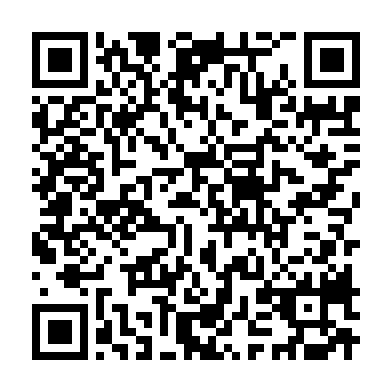
Support Nirmal Karaoke โ˜•

Built and run by one person. If you enjoy Nirmal Karaoke, you can โ˜• buy me a coffee.

โ˜• Buy me a coffee

UPI ID: nirmalkaraoke@ybl

Questions, feedback or other ways to support? Email me: sachindss2000@gmail.com

UPI works in India. Outside India, email me and weโ€™ll find a way. Supporting is always optional.

UPI QR code to support Nirmal Karaoke
Scan with any UPI app (PhonePe, Google Pay, Paytm, BHIM)